Audit & Tax
Job, Timesheet & Document Tracking System
The Problem: Jobs, staff hours and client files were tracked in separate spreadsheets, so partners could not see which jobs were stuck, who worked on what, or where a client's documents were.
Who should look at this case study?
- • If your firm runs many audit and tax jobs at the same time and loses track of their status
- • If you need to see each job by stage, like planning, execution, completion and billing
- • If your staff still fill in time sheets on Excel and someone has to chase and total them every month
- • If you want to know your actual fee against budget and recovery % for each client
- • If client files move between staff and cabinets and you need to know where every document is
- • If secretarial deadlines like annual returns are easy to miss


If you read the points above and feel they sound exactly like your situation, then yes—we can help.
We can walk you through this case study
and
review together if our solution is the right
fit to
solve your problem.
Modules
Dashboard
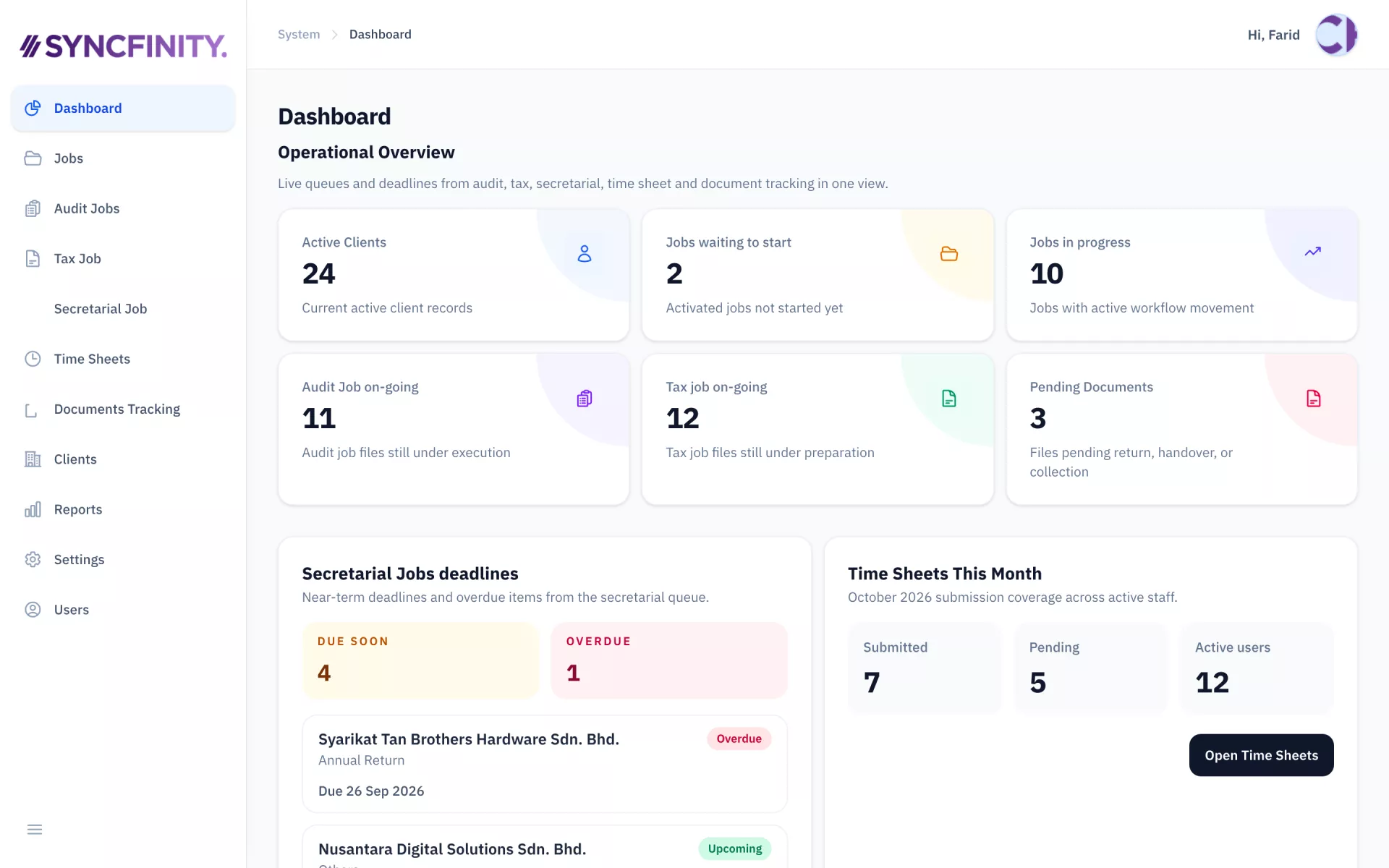
See active clients, jobs in progress, pending documents, secretarial deadlines and time sheet submissions in one view.
Audit Jobs

Each audit job has its own record with planning, execution, completion and billing tabs, plus the team assigned.
Time Sheets
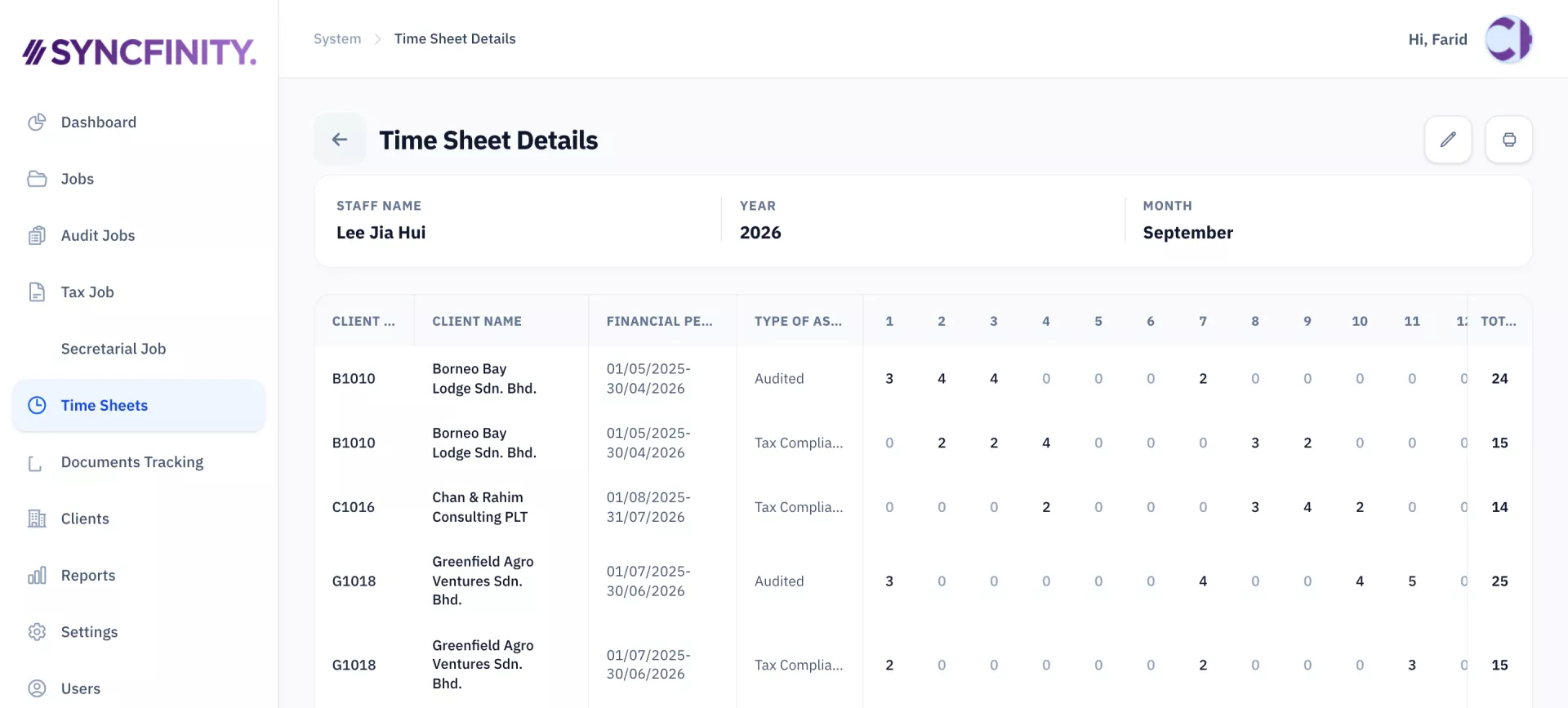
Staff log daily hours by client and job type, and the monthly total is worked out for them.
Documents Tracking
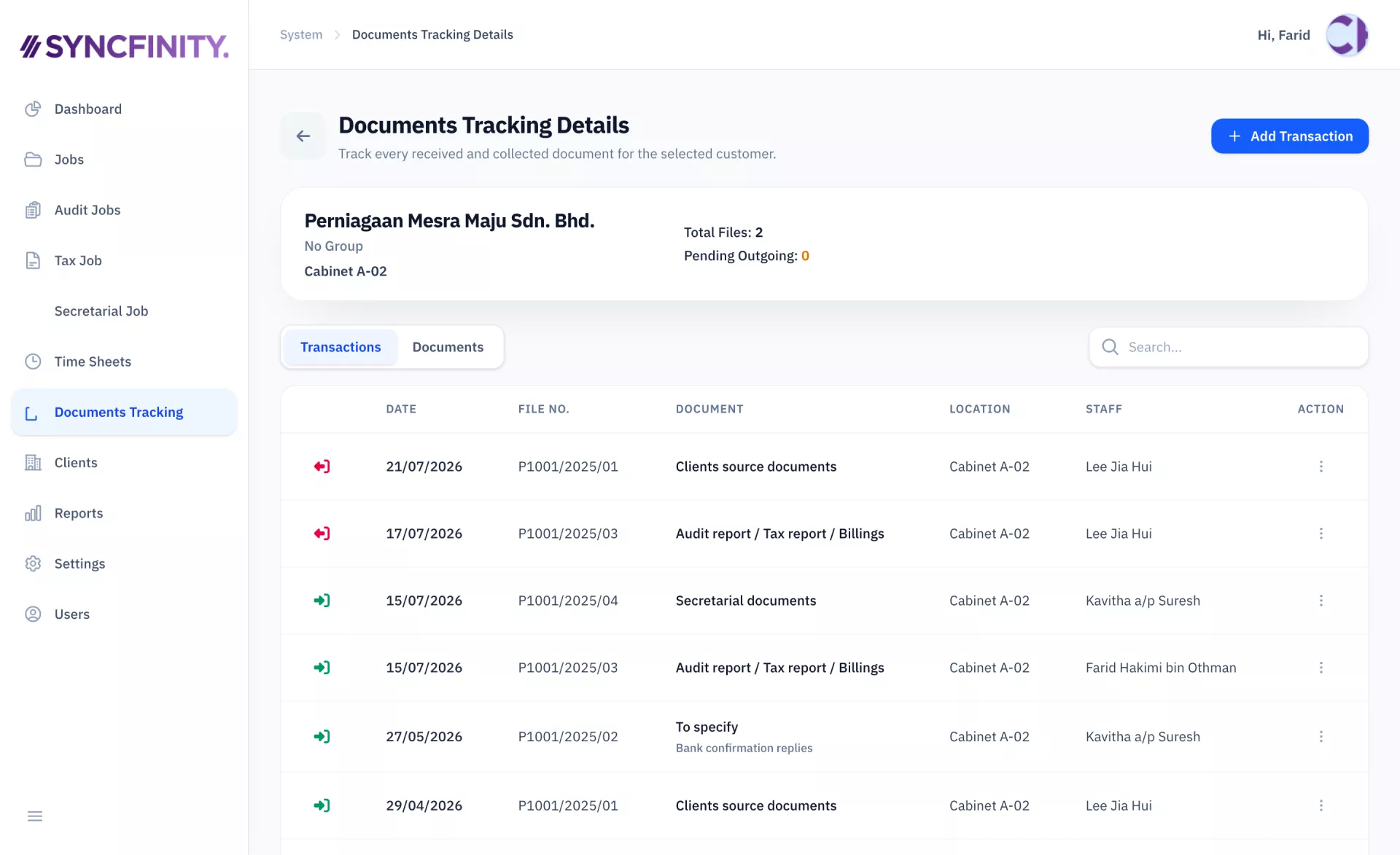
Track every client file received and returned, with file number, storage location and the staff who handled it.
Reports
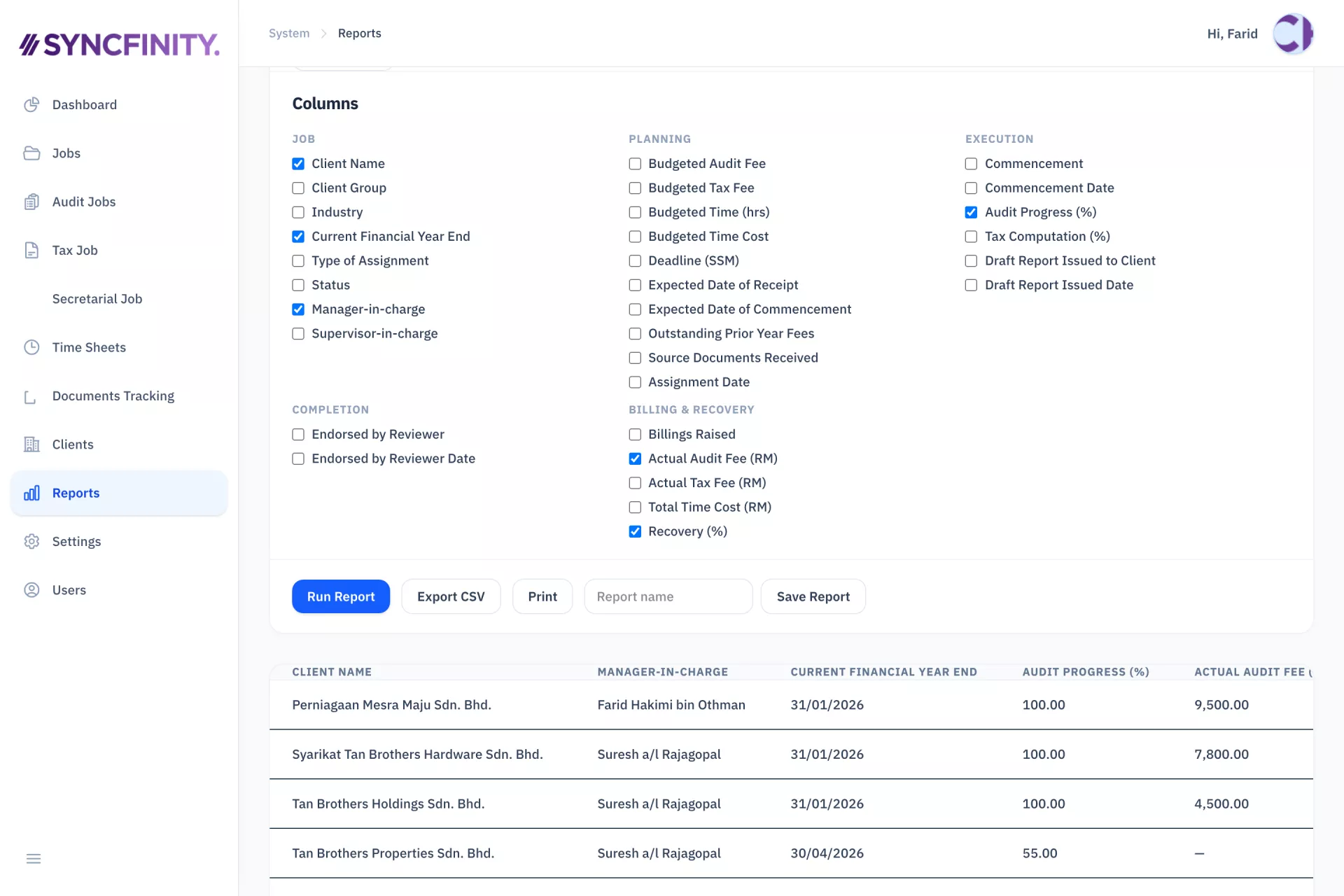
Pick the fields you need, run the report on screen, then print, save or export it to CSV.