Logistics
Job, Billing & Haulage Tracking System
The Problem: Managing import and export jobs through Google Sheets made their whole workflow slow, messy, and full of human errors.
Who should look at this case study?
- • If your team is fully relying on Google Sheets to track job details, costs, invoicing, and customer payments.
- • If each department uses different tabs and must copy data around to keep work moving, causing repeated work and mistakes.
- • If your invoicing is not straightforward—some jobs billed once, some billed multiple times, and invoices often include amounts from many different jobs.
- • If customers make partial payments at different times and it's hard to track the correct outstanding balance.
- • If you need to track haulage activities—collecting containers, delivering to customers, empty returns—and must record dates, times, delays, and extra charges.
- • If your haulage team updates progress manually, making it hard to know which step is delaying the job.
- • If your customer service team needs an easier way to give customers live delivery updates, not WhatsApp, not phone calls, but real tracking.


If you read the points above and feel they sound exactly like your situation, then yes—we can help.
We can walk you through this case study
and
review together if our solution is the right
fit to
solve your problem.
Modules
Job Module
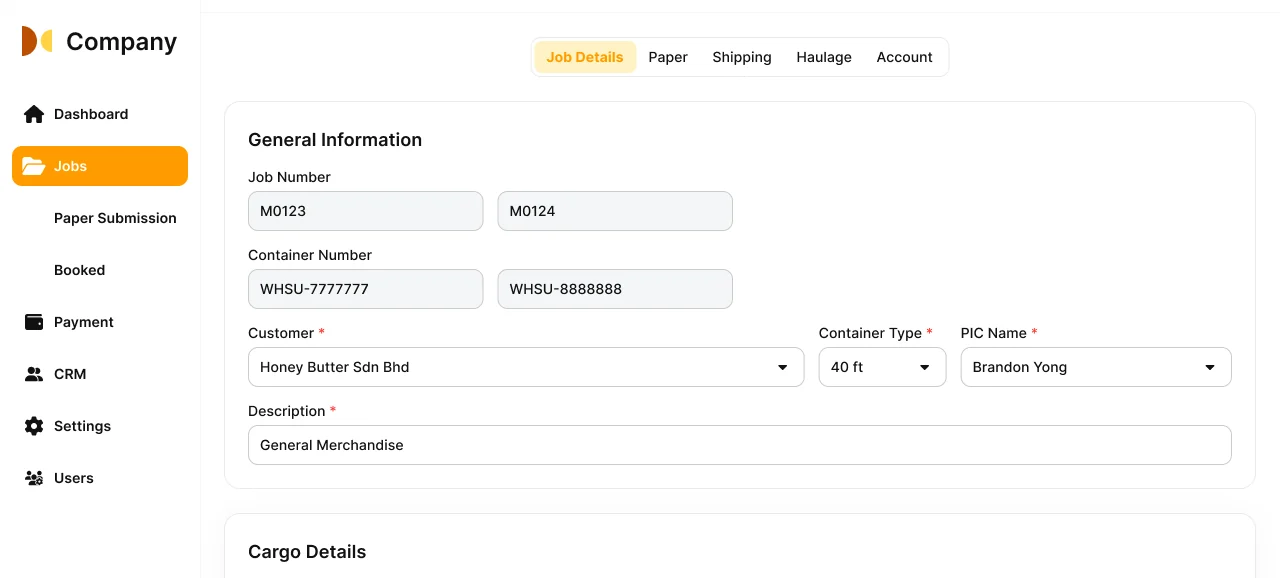
Job module with department-based tabs, where each team can only access relevant information based on permissions.
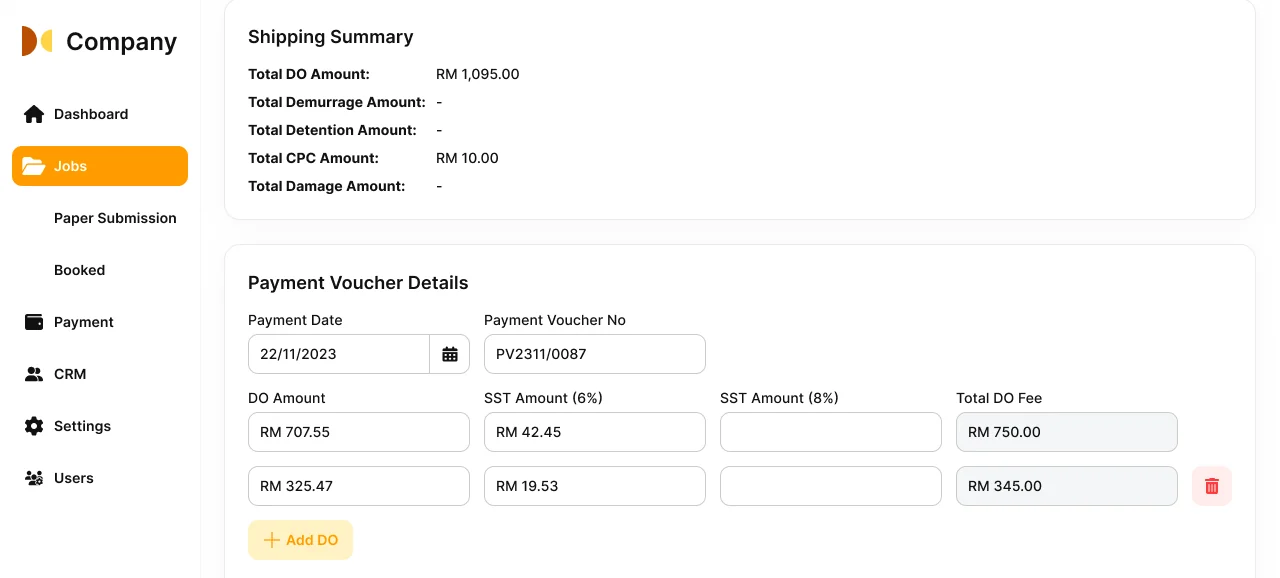
Accounting view to track customer payments and issued invoices in one place.
Payment Module
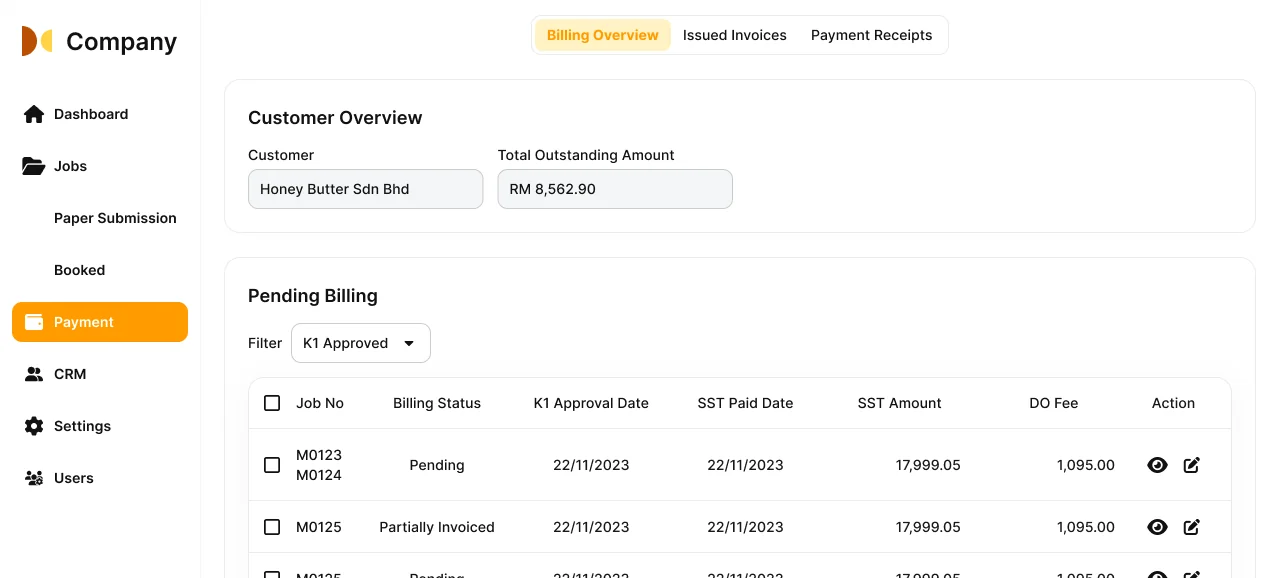
Payment overview showing total outstanding amount and a list of jobs that are not fully billed or paid.
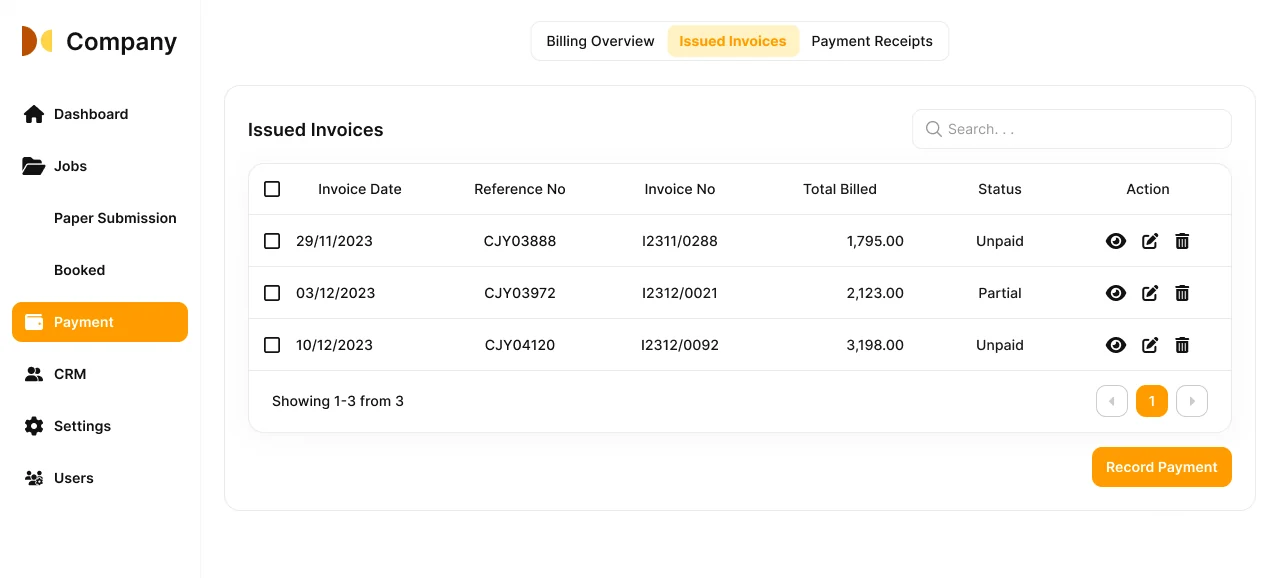
Invoice list displaying all issued invoices and the outstanding balance.
Haulage Module
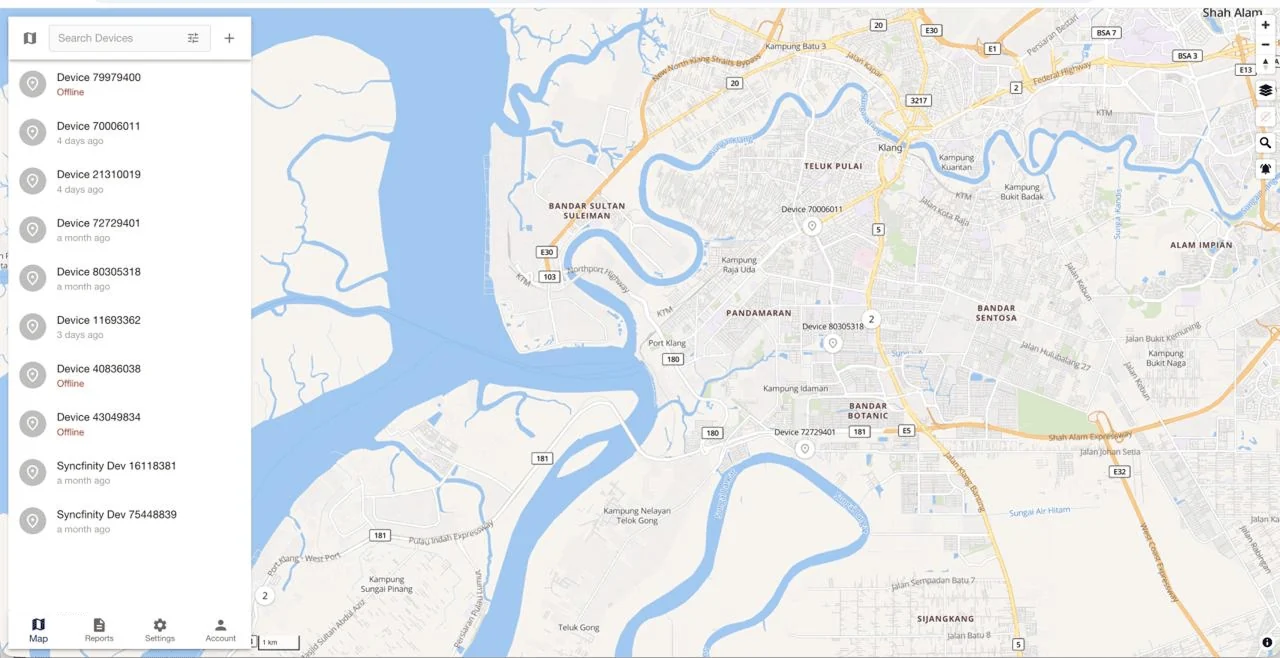
Vehicle list where users can view trip history for each vehicle.
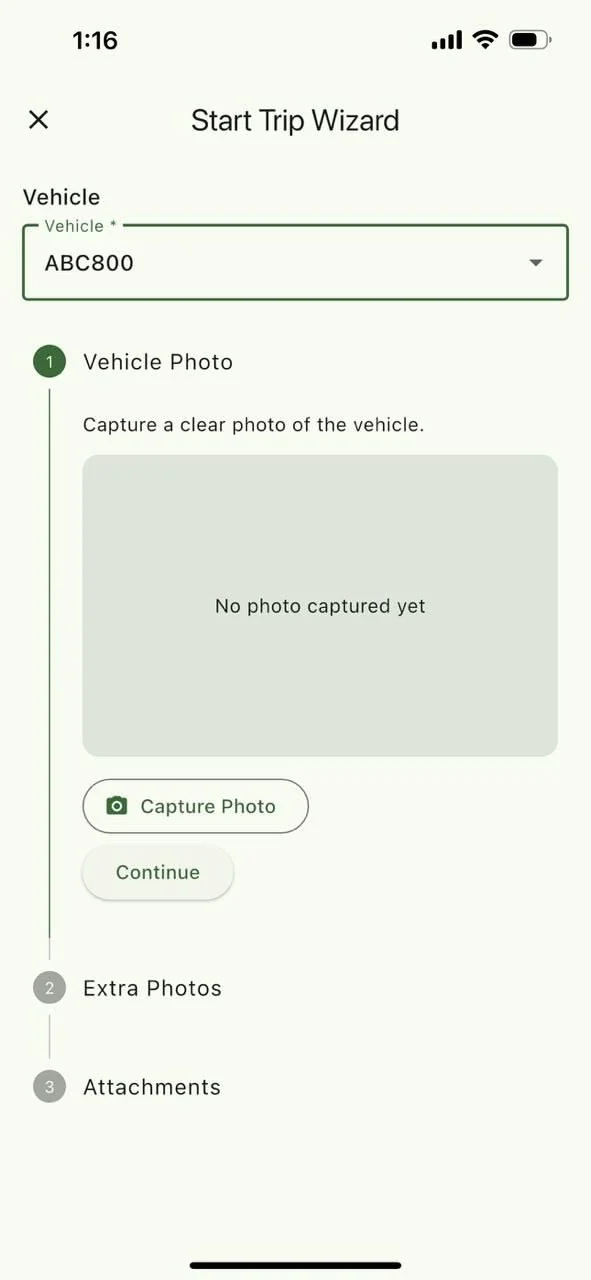
Driver check-in screen requiring a photo to start a trip.