Ticketing
Ticketing & Inventory Tracking System
The Problem: Managing repair tickets and inventory using multiple Excel files made tracking cases, parts, and repair status slow and error-prone.
Who should look at this case study?
- • If every repair case is logged in Excel as a ticket with too many columns just to store basic details.
- • If it is hard to search or filter tickets, especially when the same customer sends many devices in bulk.
- • If your inventory is split into multiple Excel files and must be updated manually.
- • If a single repair job often uses more than one type of inventory, making updates easy to miss.
- • If defective parts replaced during repair must be tracked again as inventory, but this is done manually.
- • If ticket status updates are sent through WhatsApp or email, making it hard to keep everyone in sync.


If you read the points above and feel they sound exactly like your situation, then yes—we can help.
We can walk you through this case study
and
review together if our solution is the right
fit to
solve your problem.
Modules
Ticket Module
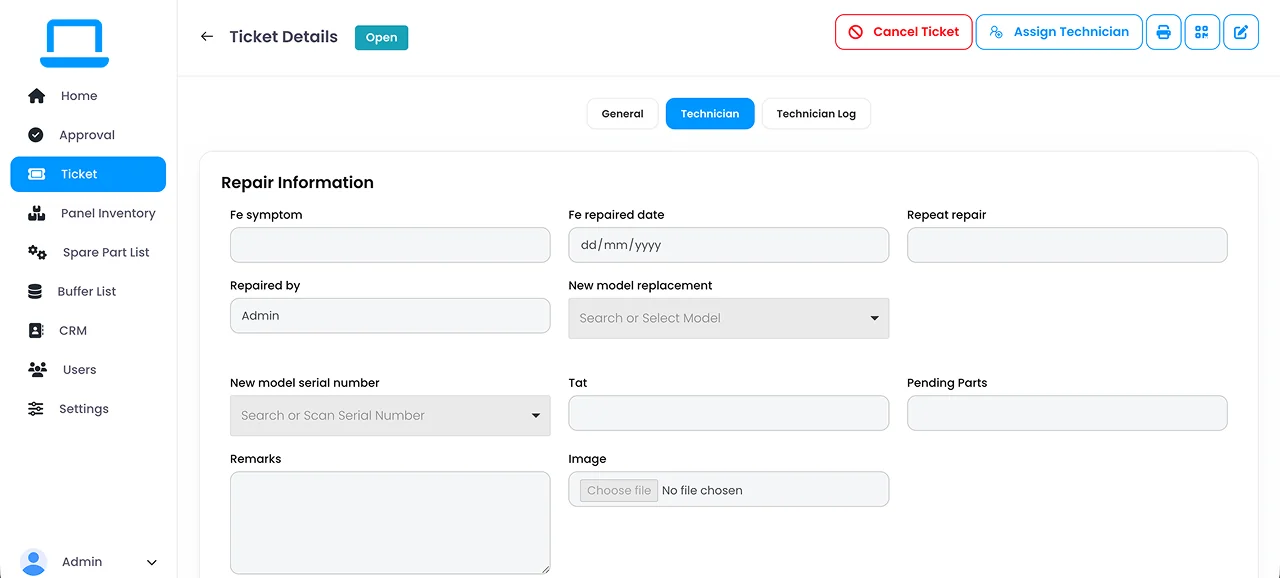
Ticket module for recording computer details, defective items, and replacement parts, with QR sharing for customers to track ticket status.
Inventory Transaction History
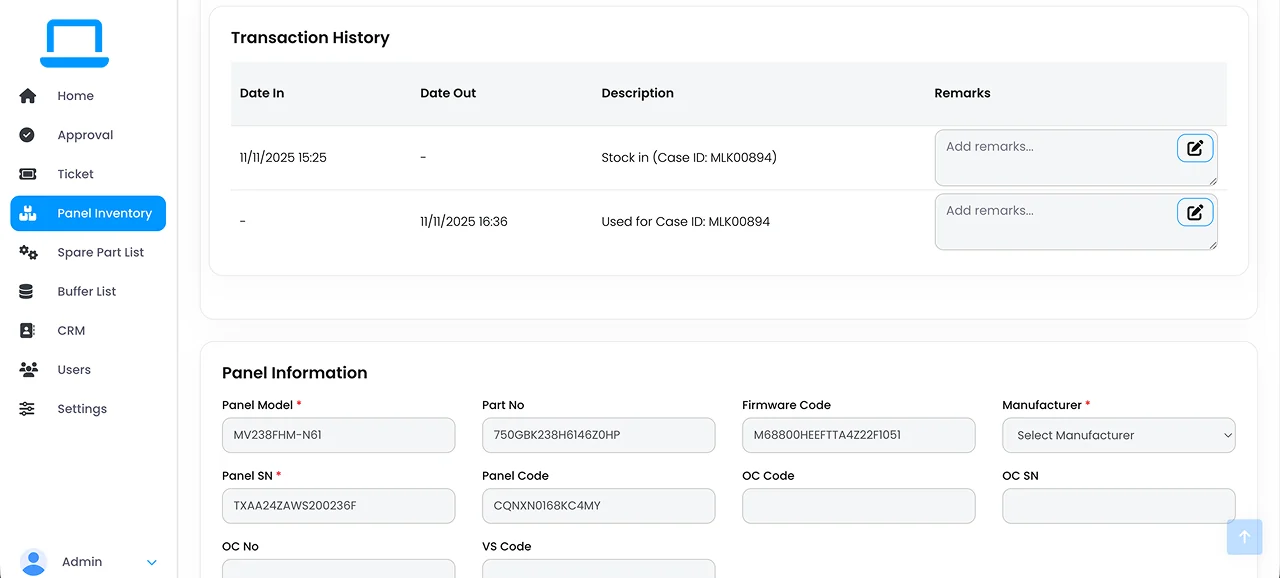
Transaction history showing all inventory movements for the same serial number.
Spare Part Transaction Report
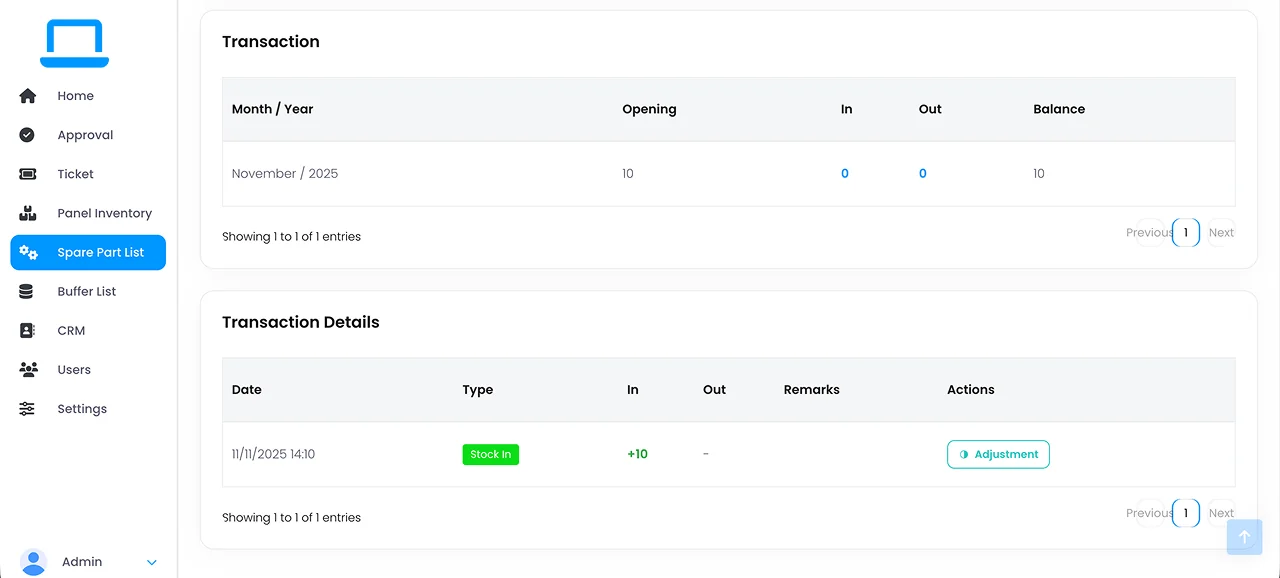
Monthly spare part report showing opening balance, items received from purchase, items used for tickets, and closing balance.
Component Status
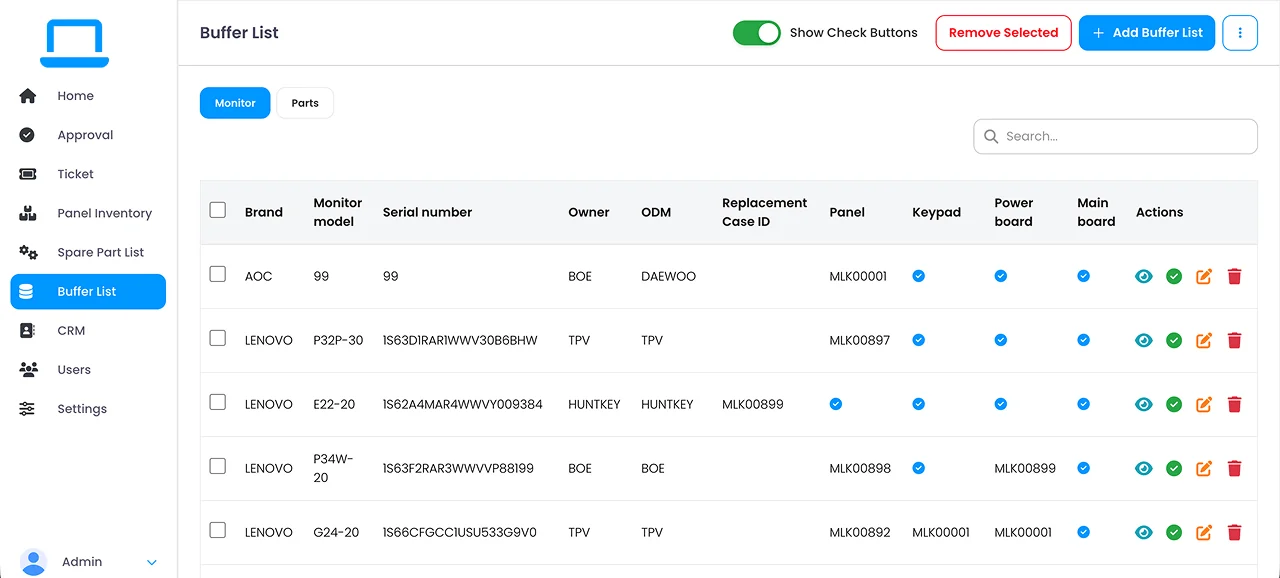
Different status tracking for individual parts within a computer set.